Connect Shopify
Connecting Shopify lets Kodo automatically track sales generated through your creators' referral link and discount codes.
Steps
- Click the setting on the top right of the dashbaord and go to Enterprise Settings
- Navigate to Payment
- Click "Connect" button for shopify.
- Paste in the store url in the format of
<store>.myshopify.com - Allow all the permission needed.
Enable Link tracking
You need one more final step in order to track referral link.
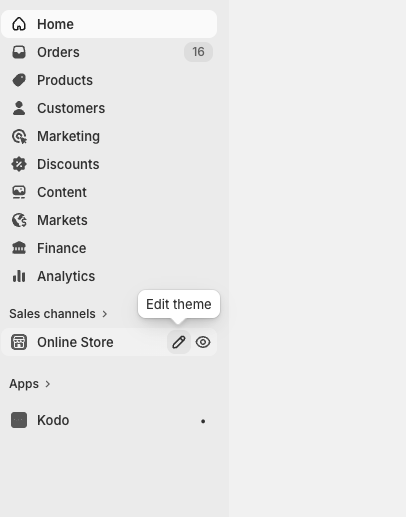
- Go to edit theme page for your shopify webpage.
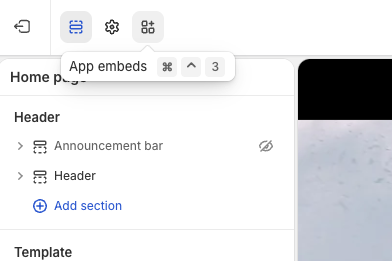
- Navigate to App Embeds
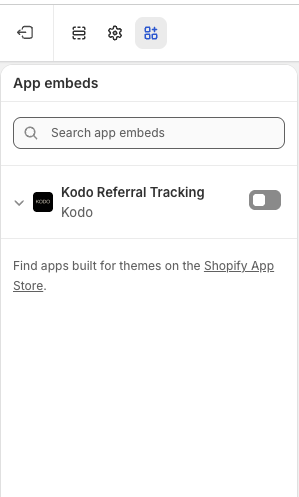
- Enable "Kodo Referral Tracking" and Save
Things to note
- If discount code is deleted on Shopify, it will not be tracked through Kodo.
- Referral link does not work on "Buy Now"